

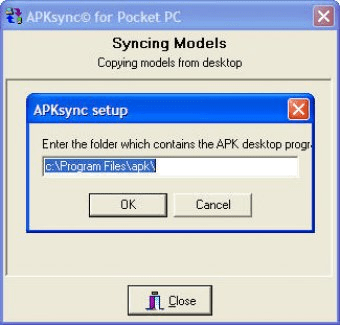
APKsync© is a program that links the APK data between a desktop and a PDA. It is initiated automatically when ActiveSync is used and is required for APK for Windows CE to run. The first time APKSync is used, it will ask for the folder where the APK for Windows program and data files are located, which is usually c:%2Fprogram files%2Fapk.
APKsync© links the APK data between the desktop and the PDA. It is called by ActiveSync with the registry entry AutoStartOnConnect.
Each Windows PC which syncs with a Windows PDA must also have the APKsync© program installed and registered.
APK for Windows CE will not run until APKsync© has initialized the device settings.
The first time you access APKSync it will ask you for the folder containing your APK for Windows program and data files. The default is c:\program files\apk. You do not need to change this unless you changed the installation folder during the "Select Destination Location" step, or you have installed the program on your server.




Comments